
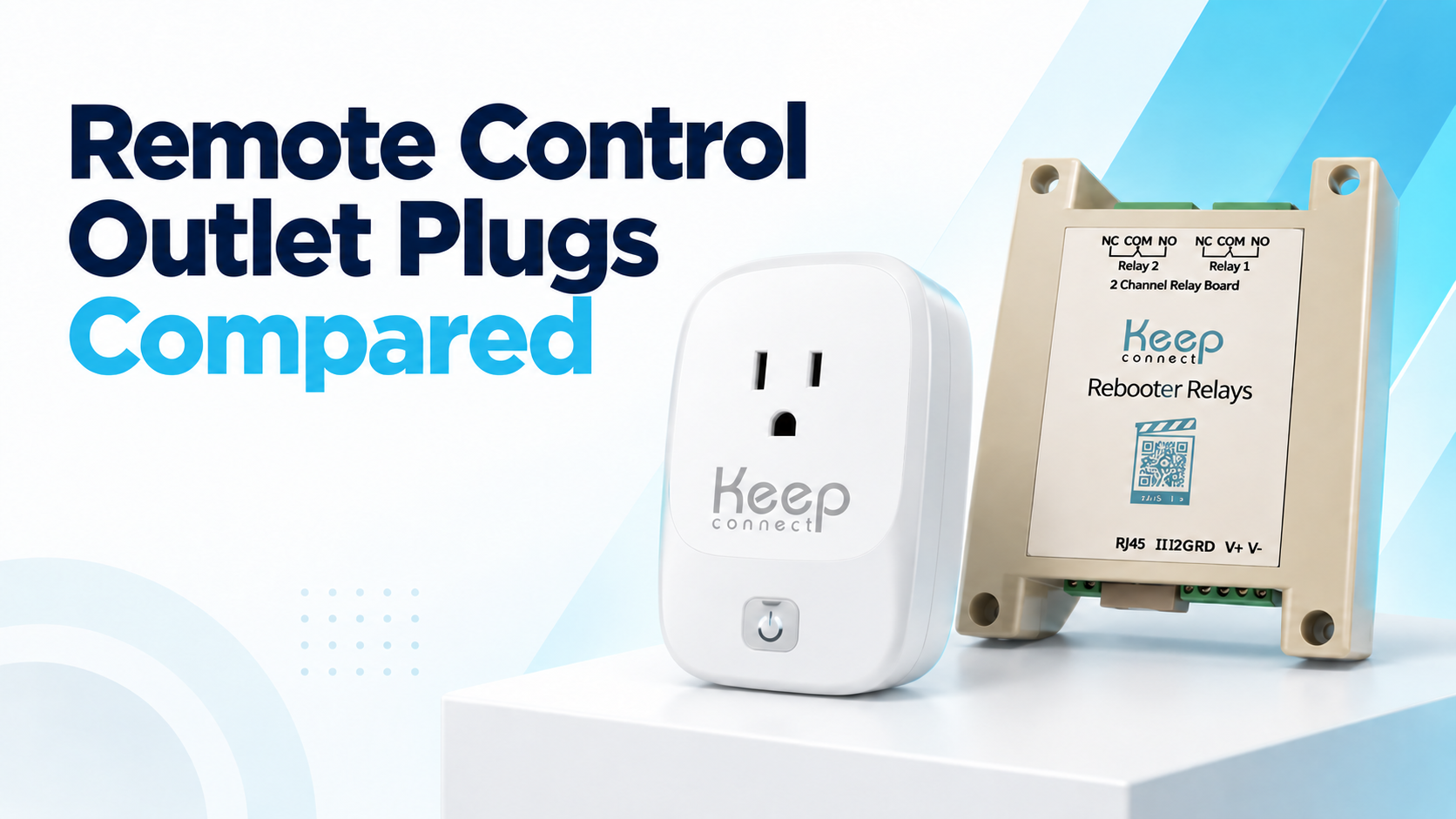
A remote control outlet plug switches connected equipment without anyone having to reach the wall outlet. The right one depends on what you are controlling and what should happen when nobody is there.
An RF remote outlet, meaning one controlled by a radio frequency handset rather than a network, is the simple choice for a lamp or fan.
A Wi-Fi smart plug adds phone control, schedules, and home automation. If a router has to recover after an internet failure, an automatic rebooter is more dependable than waiting to send an app command. For a panel or network cabinet, a relay board offers wiring options that consumer plugs don’t.
Remote control outlet options at a glance
|
What you need
|
Best type
|
Internet required?
|
Typical use
|
|---|---|---|---|
|
Simple switching from across a room
|
RF remote outlet
|
No
|
Lamps, fans, hard-to-reach switches
|
|
Phone control, routines, voice assistants
|
Wi-Fi smart plug
|
Usually, for control away from home
|
Everyday home automation
|
|
Automatic recovery of a router or modem
|
Automatic router rebooter
|
Monitors the connection, does not wait for an off-site command
|
Remote homes, offices, camera systems
|
|
Two relay channels or panel integration
|
Network-connected relay board
|
Depends on configuration
|
IT, IoT, professional installs
|
What is a remote control outlet plug?
A remote control outlet plug sits between a power source and connected equipment, letting you switch power without using the equipment’s own switch. The control signal may come from a handheld remote, a nearby phone, a Wi-Fi app, a schedule, a network command, or an automatic trigger.
The phrase covers products with very different capabilities. A basic RF outlet and a networked relay board both switch power, but they serve different users, loads, and installation environments.
Four main types of remote control outlet plug
1. RF and infrared remote outlets

RF stands for radio frequency, the same kind of short-range wireless signal used by a garage door opener or a car key fob. An RF remote outlet pairs a plug-in receiver with a handheld transmitter. The receiver goes into the wall outlet, the appliance plugs into the receiver, and pressing the remote turns it on or off.
Radio frequency signals pass through walls and furniture, so the remote works without pointing it at anything. Infrared, or IR, is the other common option. It uses the same invisible light signal as a television remote, which means it needs a clear line of sight to the receiver.
Neither type touches your network. RF and infrared outlets talk directly to their own receiver, so they need no Wi-Fi, app, account, or cloud service.
The tradeoff is range and automation. These are for local control, not for operating equipment in another building, and scheduling or event history is uncommon.
Best for household switching without an app or network.
2. Wi-Fi smart plugs
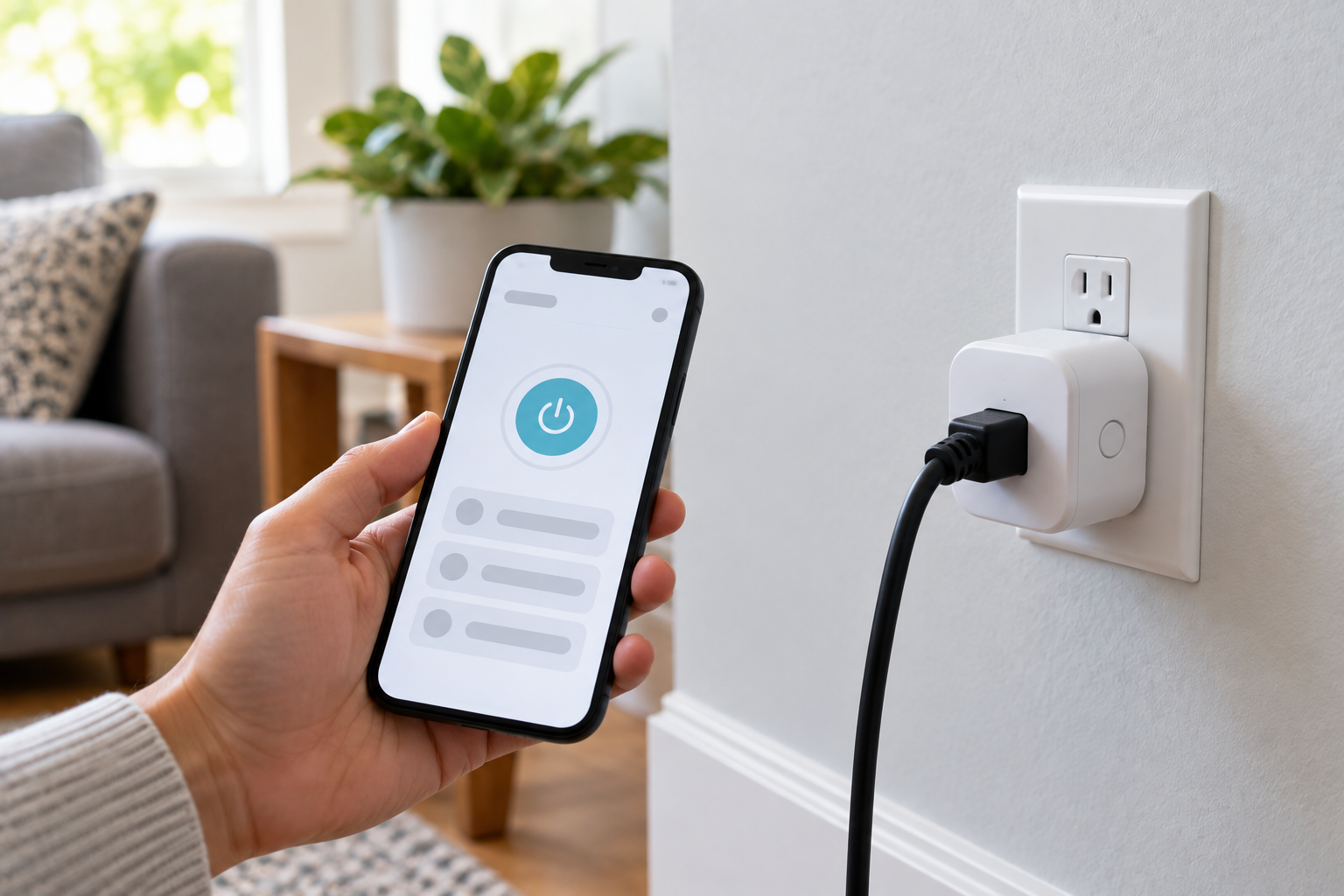
A Wi-Fi smart plug joins a wireless network and is managed through the manufacturer’s app. Features vary by model and may include:
- On and off control from a phone
- Daily or weekly schedules
- Countdown timers
- Voice assistant support
- Energy monitoring
- Scenes and automation rules
- Away modes
- Shared household access
This is the most familiar type of smart outlet for home users. It suits lamps, fans, humidifiers, decorations and other appliances the manufacturer permits to be plug-controlled.
Control away from home usually depends on both a working internet connection and the vendor’s cloud service. Some products still run locally stored schedules during an outage, but capabilities differ by model. That matters when the connected equipment is the router providing the network. If the command path is down, an off-site command may never arrive.
Best for everyday home automation, schedules and app-based control.
3. Automatic router rebooters

An automatic router rebooter does a different job. Instead of waiting for someone to notice a failure, it checks the internet connection at set intervals. When its failure conditions are met, it removes power from the connected router or modem, restores it, and resumes monitoring.
That shortens outages caused by conditions a power cycle resolves. It cannot repair failed hardware, end an ISP-wide outage, fix a damaged line, or improve weak Wi-Fi coverage.
The Keep Connect Automatic Router Rebooter is a plug-in option for this use case, designed to monitor internet availability and power cycle compatible connected equipment when its configured checks fail.
Best for unattended networks where automatic recovery matters more than home automation.
4. Network-connected relay boards
A relay board provides switching terminals for integration into an enclosure, panel, network cabinet or larger control system. It is not a finished wall plug.
|
Terminal
|
Meaning
|
Normal state
|
|---|---|---|
|
COM
|
Common contact
|
The contact that switches between NO and NC
|
|
NO
|
Normally open
|
Open until the relay is energized
|
|
NC
|
Normally closed
|
Closed until the relay is energized
|

This lets an installer choose how the circuit behaves in its normal and triggered states. Relay boards can be used for equipment switching, controlled power cycling, access systems, alarms, pumps, and custom IoT projects, as long as the board and installation are correctly rated. Installation involving mains voltage should be completed by a qualified electrician or technician.
Best for IT teams, integrators, technicians, and custom automation projects.
How to choose by load, connection and automation
Check voltage, amperage, and load type
Every smart plug, remote outlet, and relay has an electrical limit. Check all of the following before connecting equipment.
- Rated voltage
- Maximum current in amps
- Maximum wattage
- Supported load type
- Continuous-duty restrictions
- Indoor or outdoor rating
- Manufacturer exclusions
- Applicable third-party safety certification
Power in watts is voltage multiplied by current, so watts equals volts times amps. Equipment drawing 5 amps on a 120-volt circuit uses roughly 600 watts.
That calculation alone does not prove compatibility. Motors, pumps, compressors, transformers and some power supplies draw substantially more current at startup than in normal operation. Choose a controller from its documented ratings, not because the plugs fit. UL Solutions notes that wiring device manufacturers produce more than 1,000 receptacle types that vary in electrical rating and configuration, which is why the rating marked on the actual product matters. See its overview of attachment plug and receptacle safety evaluations.
Adding a controllable outlet does not increase the capacity of the circuit behind it. ESFI’s guidance on not overloading your home applies, since a remote outlet is one more device in the same chain.
For a relay board, also confirm the relay contact rating, input power requirements, wire size, enclosure and protection, and whether the load needs an external contactor. The board’s control-input voltage does not match its allowable switched-load rating.
Choose the right connection method
Bluetooth avoids a cloud dependency but requires you to stay nearby. Wi-Fi is convenient for home automation. Ethernet suits permanent installations where a wired connection is preferred.
Decide how much automation you need
Useful features include repeating schedules, countdown timers, conditional triggers, automatic connection checks, automatic recovery actions, multiple relay channels, local control, notifications and event logs, and manual override.
If you want a lamp on every evening, a basic schedule is enough. If you are protecting an unattended router, a preset schedule is not the same as failure detection.
Best smart outlet for home use
| Connection | Control method | Internet needed? | Best use |
|---|---|---|---|
| RF, radio frequency | Handheld remote | No | Local household switching |
| Infrared, IR | Line-of-sight remote | No | Same-room control |
| Bluetooth | Nearby phone or tablet | Usually no | Short-range app control |
| Wi-Fi | App, browser or cloud platform | Usually, for access away from home | Home and office automation |
| Ethernet, RJ45 | Wired network | Depends on the system | Cabinets and fixed technical installs |
For ordinary home automation, the best choice is usually a compact, properly rated Wi-Fi smart plug with a straightforward app and reliable scheduling. Common uses include turning on a lamp before you arrive home, scheduling holiday lights, controlling a fan from another room, running an appliance on a timer, tracking energy use, or using a switch behind furniture.
Check that the product is certified for your market and clearly lists its load limits. Review whether the app requires an account or paid service, whether schedules run locally, and whether the vendor has a reasonable software support history.
Also test what the connected equipment does after power is restored. Some devices stay off until their own button is pressed, so switching the outlet does not restart them.
Do not use remote outlets to operate heaters, cooking appliances, medical equipment, life-safety systems, or other high-risk loads unless both manufacturers explicitly approve that use and the installation meets all applicable requirements.
Why Smart Plugs May Not Reboot Routers
Suppose your router stops providing internet while you are away. You open the smart plug app and press power. That command still has to reach the plug through a working network path. If the failed router or connection is part of that path, it may never arrive.
This does not mean every Wi-Fi smart plug becomes useless the moment the internet drops. Some run saved schedules locally, and someone on site may keep local control if the Wi-Fi network itself is still up. It means a general-purpose smart plug should not be the only off-site recovery method for the network it depends on.
An automatic rebooter changes the sequence. It detects the configured connectivity failure itself and starts the power cycle without waiting for a remote command.
Reboot, power cycle, or reset?
These terms get used interchangeably and mean very different things.
|
Term
|
What happens
|
What you lose
|
What it fixes
|
|---|---|---|---|
|
Reboot or restart
|
Device shuts down and starts again, settings retained
|
Nothing
|
Temporary memory and firmware faults, stale connections
|
|
Power cycle
|
Power removed at the outlet, then restored
|
Nothing
|
Everything a reboot fixes, plus states a soft restart does not clear
|
|
Factory reset
|
Device returns to out-of-box settings
|
Network name, password, all custom configuration
|
Corrupted configuration. Requires complete setup again
|
|
ISP outage
|
Fault upstream of your equipment
|
Nothing
|
Nothing on your end. Only the provider can resolve it
|
|
Hardware failure
|
A component has failed
|
Varies
|
Replacement. Rebooting will not help
|
An automatic rebooter performs a power cycle, never a factory reset. That matters, because a reset would wipe your Wi-Fi configuration while you were away.
For the manual procedures, see how to power cycle your router and modem properly, how to reboot a router remotely, how often you should reboot your router, and why Wi-Fi keeps disconnecting.
If you would rather have monitoring inside the router than beside it, Always Router by Keep Connect is an OpenWrt-based option with subscription-free monitoring and email and SMS alerts, and it can also work with a Keep Connect rebooter when an external power cycle is needed.
Keep Connect Rebooter Relays 2-Channel Board
The Keep Connect Rebooter Relays 2-Channel Board is built for device switching, power-control projects and IoT integration in technical installations.
| Feature | Published specification |
|---|---|
| Relay channels | Two |
| Relay contacts | NC, COM and NO on each channel |
| Wireless connectivity | Wi-Fi |
| Wired connectivity | RJ45 Ethernet |
| Control-board power input | 12V DC, 24V DC, 12V AC or 24V AC |
| Power terminal | 3-pin block labeled 12-24, GND and V+ |
| Housing | Four-hole mountable enclosure |
| Setup access | Front-facing documentation QR code |
| Price | $74.99 at the time of writing |
What the two channels give you
Two relay channels give an integrator two switching outputs in one device. Wi-Fi offers placement flexibility, while RJ45 Ethernet provides a wired option for network cabinets, panels and server rooms. The NO/COM/NC terminals give more circuit-design flexibility than a single consumer outlet, and the correct arrangement depends on the required normal state and failure behavior of the connected system.

What to confirm before you specify it
This is not a universal plug-and-play controller for any appliance. The specifications above cover configuration, connectivity, power input and enclosure. They do not state relay contact voltage and current ratings, supported load types, fail state on power loss, or listed certifications. Confirm those against current product documentation for your actual load, along with any automation behavior beyond manual switching, before designing a system around the board.
Whichever type you choose, verify the equipment’s ratings against the controller’s, test the controller manually before enabling automation, and then simulate the failure condition itself. A working manual switch does not prove a recovery routine works.
Smart plug vs rebooter vs relay board
| Feature | Wi-Fi smart plug | Automatic router rebooter | Two-channel relay board |
|---|---|---|---|
| Consumer plug-and-play design | Usually | Usually | No |
| Phone or remote control | Common | Depends on model or service | Depends on configured system |
| Basic schedules | Common | Configuration-dependent | System-dependent |
| Automatic internet recovery | No | Yes, when configured conditions are met | Depends on configuration |
| Wi-Fi | Common | Yes on the Keep Connect models here | Yes on Rebooter Relays |
| RJ45 Ethernet | Rare | Model-dependent | Yes on Rebooter Relays |
| Multiple switching channels | Model-dependent | Usually one controlled outlet | Two on Rebooter Relays |
| NO/COM/NC terminals | No | No | Yes |
| Custom panel installation | No | Limited | Yes |
| Best audience | General consumers | Homes, remote properties, small businesses | IT, IoT and qualified installers |
The consumer smart plug wins on convenience. The automatic rebooter fits unattended network recovery. A relay board gives the most wiring and integration flexibility but requires more design and installation work.
Which remote control outlet plug should you choose?
The Keep Connect Rebooter Relays 2-Channel Board provides NC, COM and NO contacts on each of two independently switched channels, with both Wi-Fi and an RJ45 Ethernet port, in a four-hole mountable enclosure. Review the current specifications before you design a circuit around it.
If you want network recovery without any wiring, the Keep Connect Automatic Router Rebooter is the simpler choice.
Frequently Asked Questions
What Does RF Mean on a Remote Control Outlet?
RF stands for radio frequency. It is a short-range wireless signal, the same kind used by a car key fob or a garage door opener, sent from a handheld remote to a receiver plugged into your wall outlet. RF needs no WiFi, app or account, and the signal passes through walls and furniture, so you do not have to point the remote at anything. Infrared, or IR, is the alternative and works like a television remote, which means it needs a clear line of sight.
Can I Control a Smart Plug Without WiFi?
It depends on the product. An RF, or radio frequency, remote outlet needs no network at all, and a Bluetooth plug may work from a nearby phone. A WiFi smart plug needs a functioning local WiFi connection, and may also need internet access or a cloud service for control away from home. Some models run locally stored schedules without internet access.
Can a WiFi Smart Plug Reboot My Router if the Internet Is Down?
Not reliably from off site. If the failed connection is also the path that delivers the app command, the command may not reach the plug. A device designed to monitor connectivity and start a power cycle automatically is a better fit for unattended network recovery.
What Is the Difference Between a Smart Plug and a Relay Board?
A smart plug is a finished consumer product providing a controllable socket. A relay board provides switching contacts an installer integrates into a circuit or control system. Smart plugs are easier to deploy. Relay boards offer more wiring and integration options but require proper design and installation.
What Do NO, COM, and NC Mean on a Relay?
COM is the common switching contact. NO means normally open, so the circuit stays open until the relay is energized. NC means normally closed, so the circuit stays closed until the relay is energized. COM does not mean common ground.
How Many Watts Can a Smart Plug Handle?
Maximum wattage depends on the model's voltage, current rating, load type and manufacturer restrictions. Running wattage alone may not establish compatibility, because motors, compressors and some power supplies draw more current during startup. Check the specifications for both devices.
Can One Remote Outlet Control Two Devices Independently?
A single-outlet smart plug generally controls one output. Independent control of two circuits requires a product with two separately controlled outputs, or a two-channel relay board designed and configured for that purpose.
Do Remote Control Outlet Plugs Require a Subscription?
Many RF outlets and consumer smart plugs need no subscription for basic functions, and Keep Connect devices include their monitoring and alerting without one. Cloud access, extended history or advanced integrations may be paid features on other products. Check current service terms before buying.
Will a Remote Control Outlet Work During a Power Outage?
No device that switches mains power can operate without a power source. After power returns, behavior varies. Some controllers restore their previous state, others default to off or follow a configured recovery rule. Test this before relying on unattended operation.
About this guide
This is a category and feature comparison, not a hands-on ranking of third-party consumer smart plugs. Recommendations are based on intended use, published product documentation, electrical compatibility, communication method and the level of automation required. General electrical safety guidance draws on UL Solutions and the Electrical Safety Foundation International.
Johnson Creative develops and sells the Keep Connect products described here, and their specifications come from Johnson Creative product documentation. Electrical guidance is general and does not replace advice from a qualified electrician. Confirm specifications and pricing on the manufacturer's current product page before purchase or installation.





