
 Written by Rona Sabatin
Content Writer, Johnson Creative · Updated
Written by Rona Sabatin
Content Writer, Johnson Creative · Updated
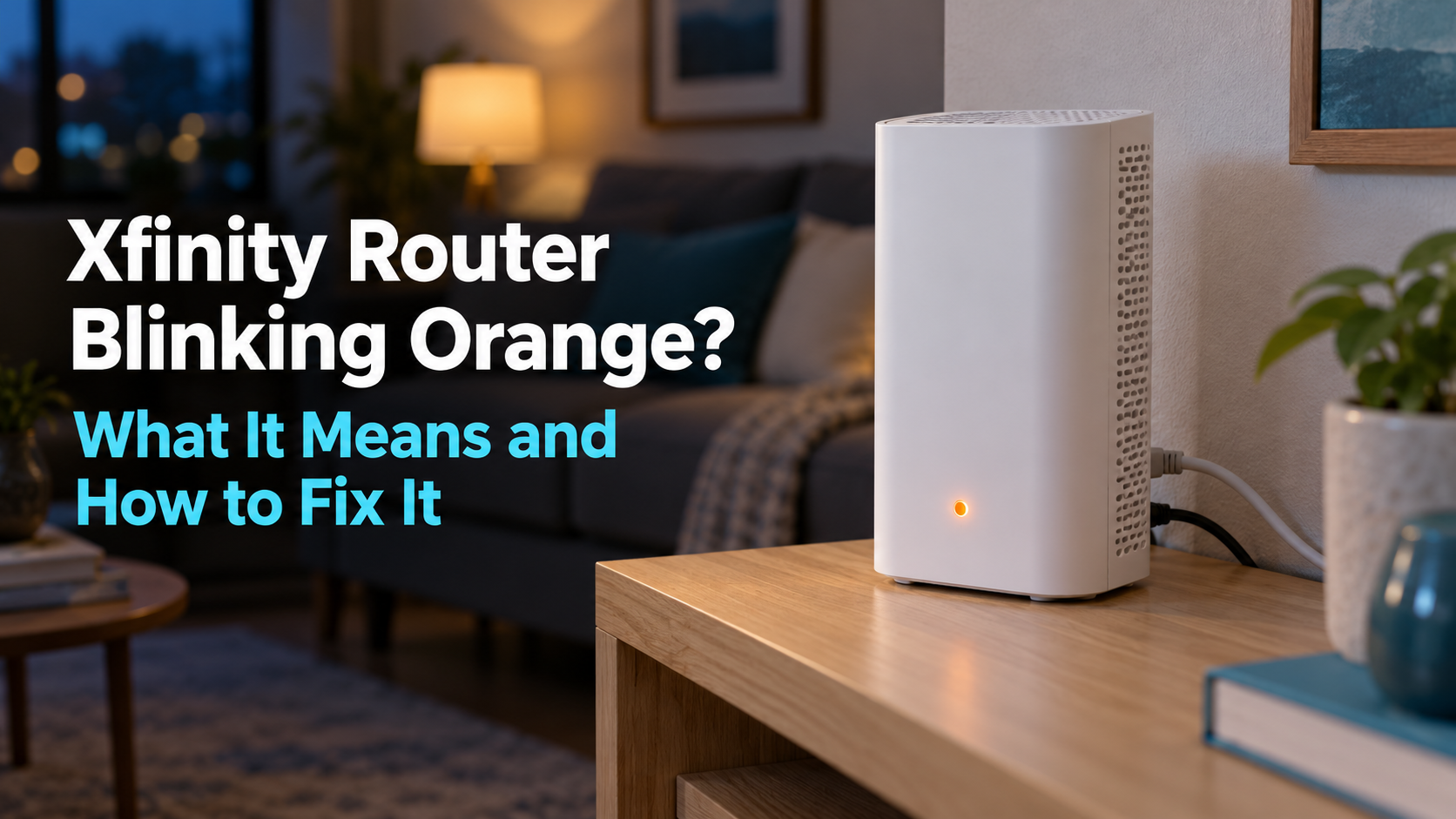
Why is my Xfinity router blinking orange? It usually means your Xfinity gateway is still trying to connect to Xfinity's network. Xfinity's light guide does not name orange. It groups it under "all other color combinations" and says to wait about 15 minutes. If it keeps blinking, check for an outage, then your cables, then restart once.
Your internet is down, and the light on your Xfinity box is blinking orange. You want to know two things. What does it mean, and how do you fix it?
Here is the surprise. In fact, Xfinity’s own light guide never mentions orange. This guide shows what Xfinity does say, how long to wait and what to try, in order.
What Does a Blinking Orange Light Mean on an Xfinity Router?
A blinking orange light usually means your Xfinity gateway is still trying to connect to Xfinity’s network. Xfinity’s official light guide does not list orange. Instead, it puts every unlisted color under “all other color combinations,” which it describes as “connecting to Xfinity systems.”
Here is the full legend from Xfinity’s guide, What the lights on your Xfinity Gateways mean (updated August 31, 2026).
| Xfinity Gateway light | What Xfinity says it means |
|---|---|
| No light | The gateway is off |
| Steady white, or white with a purple tint, after activation | The gateway is on and working |
| Steady or blinking white during activation | Limited operation while the gateway is being activated |
| Steady red | No internet connection. Contact Xfinity |
| Blinking blue | WPS mode. The gateway is pairing with a wireless device |
| All other color combinations, including orange | Connecting to Xfinity systems. Wait about 15 minutes. Contact Xfinity if problems continue |
Source: Xfinity, "What the lights on your Xfinity Gateways mean." Orange is not named on Xfinity's page, so it falls in the last row.

For the “connecting” colors, Xfinity says to wait about 15 minutes for the cycle to finish. If connection problems continue after that, Xfinity says to contact them.
Why do other websites say something different? Many sites give each orange pattern its own meaning, such as a firmware update. Xfinity’s light guide does not publish those meanings, and it does not list lights by gateway model. So treat orange the way Xfinity does: as a connection still in progress.
Is It Your Xfinity Router, Modem or Gateway?
If you have an Xfinity Gateway, they are the same device. Xfinity describes its Gateway as an all-in-one WiFi modem and router. So “Xfinity router blinking orange,” “Xfinity modem blinking orange,” “Xfinity gateway blinking orange” and “Xfinity box blinking orange” all describe the same problem.
If you own your own modem, its lights follow the maker’s guide, not Xfinity’s. Check the manual for your model. If you use a separate modem and router, learn how to power cycle a separate modem and router in the right order. Not sure which box is which? See the difference between a modem and a router.
Blinking Orange vs. Solid Orange vs. Red: What Is the Difference?
Xfinity does not name blinking or solid orange, so both fall under “connecting to Xfinity systems.” Solid red is different: Xfinity says it means no internet connection.
| Xfinity light | Official meaning | What to do |
|---|---|---|
| Blinking orange | Not named by Xfinity. Falls under "connecting to Xfinity systems" | Wait about 15 minutes, then check for an outage |
| Solid orange | Not named by Xfinity. Same "connecting" group as blinking orange | Wait about 15 minutes. Do not unplug it again and again |
| Solid red | No internet connection | Check for an outage, then contact Xfinity |
| Blinking blue | WPS mode, pairing a wireless device | Nothing. It stops once the device connects |
| Solid white | On and working | Nothing |
| Blinking green | Not named by Xfinity. Same "connecting" group | Wait about 15 minutes |
How Long Should an Xfinity Router Blink Orange Before You Do Anything?
Wait about 15 minutes. That is the time Xfinity gives for its connecting cycle to finish. After a restart, Xfinity says the process can take up to 12 minutes Xfinity restart guide.
Leave the gateway alone for the full 15 minutes. If the light is still orange after that and you have no internet, move on to the fixes below.
How Do You Fix an Xfinity Router Blinking Orange?
Wait 15 minutes, check for an outage, check your cables, then run Xfinity’s network test or restart once. If the gateway is new, finish activation. If nothing works, contact Xfinity.
| Step | Why it helps | Time |
|---|---|---|
| 1. Wait 15 minutes | Xfinity's connecting cycle may still be running | 15 minutes |
| 2. Check for an Xfinity outage | Nothing you do at home fixes an outage | 2 minutes |
| 3. Check the coax and power cables | Xfinity says to confirm cables are plugged in and the coax is tight | 5 minutes |
| 4a. Run Xfinity's network test | Xfinity recommends it before a restart | Varies |
| 4b. Restart the gateway once | Gives the gateway a fresh start without a factory reset | Restart: up to 12 minutes |
| 5. Finish activation on a new gateway | A gateway that is still activating has limited operation | Varies |
| 6. Contact Xfinity | Some problems need Xfinity to diagnose | Varies |
1. Wait 15 Minutes
Give the gateway the full 15 minutes Xfinity recommends. Set a timer and leave it alone.
2. Check for an Xfinity Outage
Check for an outage before you touch anything. Xfinity gives three ways to check (Xfinity):
- Xfinity app. Sign in. Outage details appear if your area is affected.
- Outage Map. Use the Outage Map on xfinity.com. You can look up any Xfinity address.
- Text message. Text OUT to 266278. Message and data rates may apply.
If there is an outage, wait for Xfinity to fix it. Restarting your gateway will not help.
3. Check the Coax and Power Cables
Xfinity says to confirm your equipment cables are plugged in and the coax cable is tightened as much as possible Xfinity. Check both ends: the wall outlet and the gateway.
4. Run Xfinity's Network Test or Restart Once
Xfinity recommends running its full network test before a restart (Xfinity restart guide). If the test does not fix it, restart the gateway one time. Our guide shows how to restart or factory reset your Xfinity router. Use the restart steps, not the factory reset.
If you have Xfinity Voice, keep a charged mobile phone nearby while the gateway is offline.
5. Finish Activation If the Gateway Is New
A new or replacement gateway may not be activated yet. Xfinity says a gateway that is still activating has limited operation. Follow the Getting Started guide for your device.
6. Contact Xfinity
If the light is still orange after these steps, contact Xfinity. Xfinity Assistant can connect you with a live chat agent. In the Xfinity app, you can schedule a technician if Xfinity’s system finds a problem it cannot fix online Xfinity.

What If Your Xfinity Router Still Blinks Orange After a Restart?
A restart only helps when the gateway is stuck. If the light stays orange, match what you see in the table below, then take the action in the last column.
| What you see | Cause | What to do |
|---|---|---|
| The Xfinity app, Outage Map or text reply shows an outage | Xfinity network outage | Wait for Xfinity. Nothing at home fixes it |
| A coax or power cable was loose | Loose cable | Plug it in, tighten the coax, then wait 15 minutes |
| The gateway is new or was just swapped | Activation not finished | Follow the Getting Started guide for your device |
| Orange comes back again and again with no outage | The light does not show the cause | Log each time and contact Xfinity |
| Nothing changes after all six steps | A problem Xfinity needs to diagnose | Contact Xfinity through Xfinity Assistant or the Xfinity app |
An outage is on Xfinity’s side, and nothing at home fixes it. A loose cable at your wall outlet or gateway is something you can check yourself. A problem with the line, the signal or the gateway itself needs Xfinity to diagnose it. If your devices say WiFi is connected but nothing loads, read WiFi connected but no internet.
Why Does Your Xfinity Router Keep Blinking Orange?
A light that keeps going back to orange means your gateway keeps going back to connecting to Xfinity. The light alone does not show why. Track the pattern so Xfinity can find the cause.
Write down each time it happens:
- The date and time the light turned orange
- How long the internet stayed down
- Whether WiFi and wired devices both lost internet
- Whether Xfinity reported an outage
Bring that log when you contact Xfinity. For more causes and fixes, see our guide to a router that keeps disconnecting.
How Can You Stop an Orange-Light Drop From Leaving You Offline for Hours?
Use a device that checks your internet and power cycles the gateway for you. Then a stuck connection gets restarted even when no one is home. This matters for home offices, security cameras, smart homes and rental properties. A drop at 10 a.m. can go unnoticed until evening.
How Does Keep Connect Work?
Keep Connect is an automatic router rebooter. It plugs into the wall, and compatible equipment, such as your gateway, plugs into it. By default, according to the Keep Connect manual:
- Every 5 minutes, it checks a primary test domain.
- If that check fails, it waits 1 minute and checks a backup test domain.
- If both fail, it cuts power to the gateway for 30 seconds, then turns it back on.
- It waits 3 minutes for the gateway to start up, then checks again.
- It sends a text or email when you are back online.
After 3 resets in a row, it waits 4 hours before trying again, so a long outage does not cause endless restarts.
Also, basic automatic rebooting needs no subscription. You can change the check and power-off times in its settings. Check its 10A load rating and your gateway’s battery setup before you buy.
What Can Keep Connect Not Fix?
Keep Connect cannot fix an Xfinity outage, a damaged cable or a failed gateway. For example, during an outage, it may restart the gateway without bringing the internet back. To cut unneeded restarts, raise the backup check delay from 1 minute to 5 minutes. You can also turn on “Ignore DNS Failures if Ping 8.8.8.8 Works.”
Xfinity Voice gateways with a backup battery: Removing outlet power may not shut down equipment with a working internal battery. Contact Johnson Creative before you use Keep Connect with a battery-backed gateway.
What If You Use Your Own Router With an Xfinity Modem?
If you use your own router with an Xfinity modem, you can switch to Always Router as your router. It runs its own connection checks and reboots itself after a confirmed connection loss. It can also trigger a linked Keep Connect plug when a full power cycle is needed.

Keep Connect Automatic Router Rebooter
$49.99
- Monitors your internet connection automatically
- Turns compatible equipment off for 30 seconds by default when the internet drops, then back on
- Sends a text or email when you are back online
- No subscription needed for basic automatic rebooting
Rated for a 10A total connected load. Keep Connect cannot fix an Xfinity outage, a damaged cable or a failed gateway. Check with Johnson Creative first if your gateway has a backup battery.
What Are the Key Takeaways?
- Xfinity’s light guide does not name orange. It falls under “all other color combinations,” meaning the gateway is connecting.
- Wait about 15 minutes before you act. A restart can take up to 12 minutes.
- Solid red is the color Xfinity names for no internet connection.
- Fix order: wait, check for an outage, check cables, run the network test or restart once, finish activation, contact Xfinity.
- Do not factory reset to fix an orange light.
- If the orange light keeps coming back, log each time and contact Xfinity.
Common Questions About an Xfinity Orange Light
Is a blinking orange light on an Xfinity router bad?
Not by itself. Xfinity groups orange with the colors that mean the gateway is connecting to Xfinity systems. It becomes a problem when it lasts longer than about 15 minutes and you still have no internet.
How long should an Xfinity modem blink orange?
About 15 minutes at most. Xfinity says to wait about 15 minutes for the connecting cycle to finish, and a restart can take up to 12 minutes. If it still blinks after that, check for an outage and check your cables.
Does a blinking orange light mean my Xfinity gateway is broken?
Not usually. Orange means the gateway is still trying to connect, and an outage or a loose cable can keep it there. Check for an outage, check your cables and restart once. If the light is still orange, contact Xfinity for help.
Will a factory reset fix a blinking orange light?
A factory reset is not the right first step. Xfinity says it erases your custom settings, like your WiFi name and password. It will not fix an Xfinity outage. Only factory reset the gateway if Xfinity support tells you to.
Is solid orange different from blinking orange on an Xfinity gateway?
Xfinity does not name either one. Both fall under "all other color combinations," which Xfinity describes as connecting to Xfinity systems. Treat them the same way: wait about 15 minutes, then check for an outage if you still have no internet.
What if I own my modem and it is blinking orange?
Check your modem maker's light guide. Xfinity's guide covers Xfinity Gateways, and other brands use their own color meanings. Outages and loose cables affect any modem on Xfinity, so check those too.
What Is the Fastest Way to Get Back Online?
Wait 15 minutes, check for an outage, check the cables, then restart once. These steps cover the causes you can fix at home. If the light keeps coming back, log each time and contact Xfinity.
If you want the restart to happen without you, see Keep Connect. It checks your internet and power cycles your gateway when the connection drops.
About the Author
Rona writes guides for Johnson Creative on router rebooting, internet reliability and home monitoring. Product details come from Johnson Creative's manuals and support articles. AI tools help with drafting, and every guide is reviewed and edited by Rona before publishing.





