
 Written by Rona Sabatin
Content Writer, Johnson Creative · Updated
Written by Rona Sabatin
Content Writer, Johnson Creative · Updated
Why is my AT&T router blinking red? A blinking red light on an AT&T router usually means the gateway cannot connect to AT&T's network. A slow blink means no broadband connection, so check your cables first. A fast blink means a network service issue that may need AT&T. Solid red means overheating or a hardware issue. Check for an outage, then restart the gateway.
Based on AT&T's BGW320 and BGW620 light guides, updated September 2026. Last verified October 17, 2026.
Is your AT&T router blinking red and the internet down? The red light is telling you something specific. How it blinks, and which light it is, points to the cause.
This guide decodes every red light AT&T lists for its main gateways. It uses AT&T’s own light guides. It also shows what to do next, and when to stop and call AT&T.
What Does a Red Light on an AT&T Router Mean?
A red light means the gateway has a problem. The blink speed tells you which kind. First, check the model name on your gateway’s label. The table below covers AT&T’s BGW320 and BGW620 All-Fi Hubs, where a slow blink, a fast blink and a solid red each mean something different.
| Red light | What AT&T says it means | Start here |
|---|---|---|
| Slow blinking red | No broadband connection, or an issue with your network | Check your cables, then restart the gateway |
| Fast blinking red | A network service issue that may need AT&T | Check for an AT&T outage, then restart once |
| Solid red | The gateway is overheating or has a hardware issue. On the BGW320, a solid red WPS light too means hardware | Move it to a flat, open spot, then restart |
Source: AT&T BGW320 and BGW620 light guides (updated Sep 2 and Sep 23, 2026) and their light PDFs. Other gateways use different light names. See the model tables below. Last verified Oct 17, 2026.
Your AT&T “router” is usually a Wi-Fi gateway. It is a modem and router in one box. So “AT&T modem blinking red” and “AT&T router blinking red” usually mean the same device.
What Does the Red Light Mean on Your AT&T Gateway Model?
Check the label on your gateway for the model name. Light names differ by model, so match yours below.
BGW320 All-Fi Hub
| BGW320 light | What AT&T says it means | What AT&T says to do |
|---|---|---|
| Status (Service) light solid red, WPS light off | The gateway is overheating | Move it to a flat, carpet-free surface with open space around, above and below it |
| Status (Service) light solid red, WPS light also solid red | The gateway has a hardware issue | Restart it. If that does not fix it, AT&T says it needs replacement |
| Status light, slow blinking red | An issue with your network | Check your cables. Then hold the reset button for 10 seconds. If that does not help, check att.com/outages |
| Status light, fast blinking red | A network service issue which may require AT&T | Check for an outage in Smart Home Manager or myAT&T, then restart |
| WPS light, solid red | WPS pairing failed | Try again, or connect with your WiFi name and password |
Source: AT&T, Learn about your All-Fi Hub (BGW320) (updated Sep 2, 2026) and the BGW320 light status PDF (2024). The fast blinking row and the WPS split come from the PDF. Last verified Oct 17, 2026.
BGW620 All-Fi Hub
| BGW620 light | What AT&T says it means | What AT&T says to do |
|---|---|---|
| Solid red | Overheating or a hardware issue | Put it on a flat surface with open space around it, then restart. If restarting does not fix a hardware issue, AT&T says it needs replacement |
| Slow blinking red | No broadband connection | Check for a loose, disconnected or damaged cable. Then hold the red reset button for 10 seconds. If that does not help, check att.com/outages |
| Fast blinking red | A network service issue which may require AT&T | Check for an outage in Smart Home Manager or myAT&T, and try restarting the hub |
Source: AT&T, Learn About Your All-Fi Hub (BGW620) (updated Sep 23, 2026) and the BGW620 light guide PDF. Last verified Oct 17, 2026.
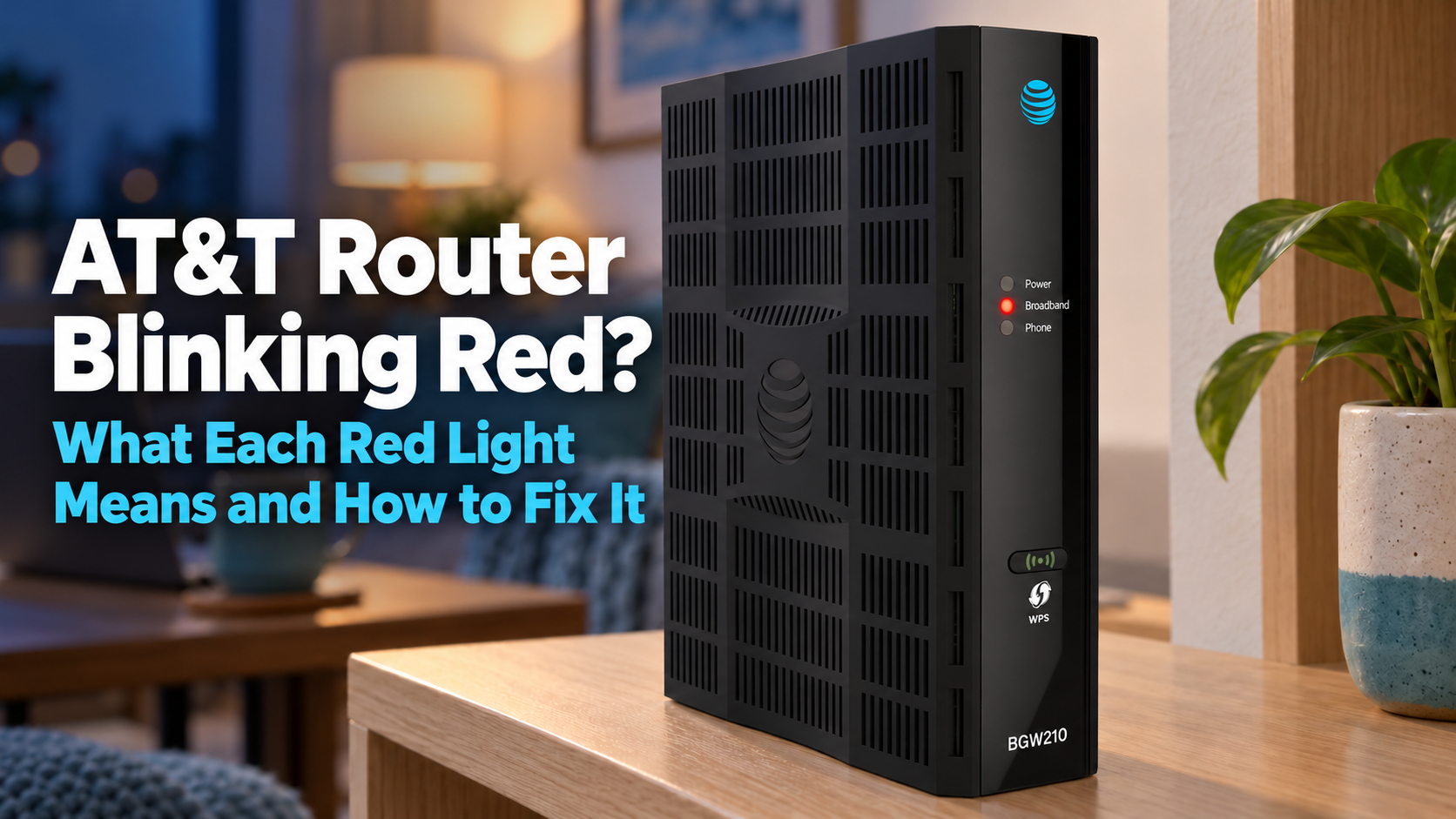
BGW210
AT&T’s BGW210 guide lists a separate Broadband light. A red Broadband light is about the line and the connection. A flashing red Power light is about the gateway itself.
| BGW210 light | What AT&T says it means |
|---|---|
| Broadband, flashing red | A broadband signal is detected, but the connection could not be established |
| Broadband, solid red | No signal on a line |
| Power, flashing red | A POST failure (not bootable) or a device malfunction |
| Phone, solid red | One or more phone lines are not registered |
Source: AT&T, Learn About Your AT&T BGW210 (updated Apr 9, 2025). AT&T's BGW210 page lists meanings only, not fixes. Last verified Oct 17, 2026.
Other AT&T Wi-Fi Gateways
Other AT&T Wi-Fi gateways show Power, Broadband and Service lights. AT&T’s general Gateway status lights page covers them.
| Light | What AT&T says it means |
|---|---|
| Broadband 1, flashing red | The gateway cannot connect to AT&T's network |
| Broadband 1, flashing green and red | The gateway tried to connect to AT&T's network for more than 3 minutes |
| Service, solid red | Internet service authentication has failed |
| Power, solid red | The gateway or power supply may be malfunctioning |
Source: AT&T, Gateway status lights (updated Mar 13, 2023). Light names vary by model, so check AT&T's guide for yours. Last verified Oct 17, 2026.

How Do You Fix a Blinking Red Light on an AT&T Router?
Start with the cables and an outage check. Then restart the gateway once. These steps follow AT&T’s BGW320 and BGW620 light guides.
- Check that power and Ethernet cables are tight and undamaged. Do not unplug a fiber or ONT cable unless AT&T tells you to.
- Check for an AT&T outage in the Smart Home Manager or myAT&T app.
- Restart the gateway.
- Wait up to five minutes.
- If the light is still red, contact AT&T.
To restart, unplug the power cord, wait 20 seconds and plug it back in. If your gateway has a backup battery, remove it while it is unplugged. For full steps and the app method, see how to restart or reset an AT&T router.
You can also check for outages on AT&T’s Service outage info page.
How Long Should You Hold the Reset Button?
Only as long as AT&T’s guide for your model says. For a slow blinking red light, AT&T’s BGW320 and BGW620 guides say to hold the reset button for 10 seconds. AT&T’s general restart and reset guide (updated October 2026) says that if you let go before 15 seconds, the gateway restarts but does not reset.
Holds are not the same everywhere. AT&T’s All-Fi Hub error codes FAQ (updated October 7, 2026) uses 15-second and 20-second holds for some errors. So follow the steps for your exact model and error. The safest restart is still to unplug the gateway for 20 seconds.

What Does a Solid Red Light on an AT&T Router Mean?
AT&T says a solid red light means the gateway is overheating or has a hardware issue. Cool it down and restart it first. If it stays red, the gateway may need replacing.
- Overheating. Move the gateway to a flat surface with open space around it. AT&T’s guides say no carpet, and room above and below for air.
- Hardware issue. Restart once. On the BGW320, the WPS light tells you which problem you have. AT&T’s light status PDF says a solid red Service light plus a solid red WPS light means a hardware issue. AT&T says that if rebooting does not fix it, it needs replacement.
- BGW210 solid red Broadband light. AT&T says this means “no signal on a line.” Check the line and cables, then contact AT&T.
Is a Red Light Different on AT&T Fiber?
No. AT&T’s light guides are written by gateway model, not by plan. AT&T says the BGW320 and BGW620 connect to AT&T Fiber, so the tables above apply on Fiber too.
One Fiber tip from AT&T’s BGW320 guide: if a cable runs from your service box to the red ONT port, do not disconnect it.
Is the Red Light AT&T's Problem or Yours?
A fast blink or a reported outage points to AT&T. A slow blink after a cable change points to your setup. A solid red light that keeps coming back points to the gateway. Match what you see below.
| What you see | What to do |
|---|---|
| Fast blinking red, or an outage shows in Smart Home Manager or on att.com/outages | Wait for AT&T. Restarting will not end an outage |
| Slow blinking red after you moved the gateway or touched a cable | Check that power and Ethernet cables are tight and undamaged, then restart. Do not unplug a fiber or ONT cable unless AT&T tells you to |
| Slow blinking red with tight cables and no change after a restart | Check att.com/outages, then contact AT&T support |
| Solid red, gateway feels hot or sits in a closed cabinet | Move it to a flat, open spot, then restart |
| Solid red that comes back after a restart | Contact AT&T. AT&T says a hardware issue that a reboot does not fix needs replacement |
| Lights look normal, but nothing loads | Read our guide to WiFi connected but no internet |
| The red light keeps coming back every few days | Note when it happens and contact AT&T support |
Based on AT&T's BGW320 and BGW620 light guides (Sep 2026) and AT&T's restart guide (Oct 2026). The cabinet and "feels hot" examples are our own, not AT&T's wording. Last verified Oct 17, 2026.
If your devices show WiFi connected but nothing loads, read WiFi connected but no internet. If drops keep coming back, see our guide to a router that keeps disconnecting.
When Can Keep Connect Help With a Recurring AT&T Gateway Problem?
Keep Connect may help when the gateway keeps losing its connection and a normal power cycle brings it back each time. First rule out an AT&T outage, loose or damaged cables, overheating and a failing gateway. Keep Connect automates an outside power cycle. It does not press the gateway’s reset button or erase its WiFi settings.
| Situation | Can Keep Connect help? |
|---|---|
| The gateway stops responding now and then, and a power cycle brings it back | Potentially yes |
| A confirmed AT&T outage | No |
| Slow red light from a lost broadband or fiber signal | No |
| Solid red light from overheating | No |
| A failed gateway or a damaged cable | No |
| A battery-backed gateway that stays on without wall power | Check with Johnson Creative first |
Based on the Keep Connect manual (April 2026) and product page, and AT&T's light guides. Last verified Oct 17, 2026.
How Does Keep Connect Work?
Keep Connect is an automatic router rebooter. It plugs into the wall, and compatible equipment, such as your gateway, plugs into it. By default, according to the Keep Connect manual:
- Every 5 minutes, it checks a primary test domain.
- If that check fails, it waits 1 minute and checks a backup test domain.
- If both fail, it cuts power to the gateway for 30 seconds, then turns it back on.
- It waits 3 minutes for the gateway to start up, then checks again.
- It sends a text or email when you are back online.
After 3 resets in a row, it waits 4 hours before trying again, so a long outage does not cause endless restarts. All of these settings can be changed. Basic automatic rebooting needs no subscription. It is rated for a 10A total load and connects to 2.4 GHz WiFi.
What Can't Keep Connect Fix?
It cannot end an AT&T outage, restore a lost fiber signal, cool an overheating gateway, repair a failed gateway or fix a damaged cable. During an outage, it may restart the gateway without bringing the internet back. Johnson Creative’s guide “Minimize Unnecessary Resets” explains settings that cut extra restarts.
Does It Work With a Battery-Backed AT&T Gateway?
Check with Johnson Creative first. AT&T’s restart steps say to remove the backup battery. Keep Connect’s product page gives the same warning: “Removing external power may not shut down equipment with a working internal battery.” See the battery backup guide for setup options.

Keep Connect Automatic Router Rebooter
$49.99
- Monitors your internet connection automatically
- Turns compatible equipment off for 30 seconds by default when the internet drops, then back on
- Sends a text or email when you are back online
- No subscription needed for basic automatic rebooting
- Connects to 2.4 GHz WiFi (802.11 b/g/n, WPA or WPA2 Personal)
Rated for a 10A total connected load. Keep Connect cannot fix an AT&T outage, a lost fiber signal, an overheating or failed gateway, or a damaged cable. Check with Johnson Creative first if your gateway has a backup battery.
What Are the Key Takeaways?
- Slow blinking red: no broadband connection. Check cables, then restart.
- Fast blinking red: a network service issue that may need AT&T. Check for an outage.
- Solid red: overheating or a hardware issue. On the BGW320, a solid red WPS light too means hardware. Cool it down and restart. Replace it if it stays red.
- The BGW210 and other gateways use Broadband, Power and Service lights. Check your model.
- Unplugging for 20 seconds is the safest restart. Hold the reset button only as long as AT&T’s guide for your model says.
- A restart can take up to five minutes.
- Keep Connect helps only when a power cycle reliably brings the connection back.
What Else Do People Ask About an AT&T Router Blinking Red?
Why is my AT&T router blinking red?
It usually means the gateway is not connected to AT&T's network. On the BGW320 and BGW620, AT&T says a slow red blink means no broadband connection and a fast red blink means a network service issue that may need AT&T. Check your cables, check for an outage, then restart the gateway.
Will restarting my AT&T router fix a red light?
Sometimes. AT&T lists a restart as a step for slow red, fast red and solid red lights. A restart will not end an AT&T outage. If a solid red light comes back after a restart, AT&T says the hub has a hardware issue and needs replacement.
Does a solid red light mean my AT&T gateway is broken?
Not always. AT&T says solid red means the gateway is overheating or has a hardware issue. Move it to a flat, open spot and restart it. If it stays solid red, contact AT&T about a replacement.
How long should I wait after restarting an AT&T router?
Up to five minutes. AT&T says it may take that long for the gateway to come back online and for your devices to reconnect. Check the light again after that.
Will holding the reset button erase my WiFi password?
It can. AT&T's general guide says holding the reset button for 15 seconds or longer factory resets the gateway and erases custom settings, while letting go sooner only restarts it. Some error fixes use longer holds. Hold it only as long as AT&T's guide for your model says. Unplugging for 20 seconds restarts it safely.
What does a red WPS light mean on an AT&T router?
It is about pairing devices with the WPS button. AT&T says a solid red WPS light on the BGW320 means WPS pairing failed. You can try again or connect with your WiFi name and password instead.
What Should You Do Right Now?
Find your gateway model and match the red light to the tables above. Check your cables and look for an AT&T outage. Then restart the gateway once and wait five minutes. If the light stays red, contact AT&T.
If a power cycle keeps fixing it, see Keep Connect. It checks your internet and power cycles compatible equipment when the connection drops. Check its 10A load rating, and contact Johnson Creative first if your gateway has a backup battery.
Other provider guides: Xfinity router blinking orange, Spectrum router blinking red, and how to reset a Spectrum router.
About the Author
Rona writes guides for Johnson Creative on router rebooting, internet reliability and home monitoring. Product details come from Johnson Creative's manuals and support articles. AI tools help with drafting, and every guide is reviewed and edited by Rona before publishing.





