
EU Keep Connect Automatic Router Rebooter (European Plug)

$49.99

Out of stock

Category:

Description

Automatic router rebooting for European outlets

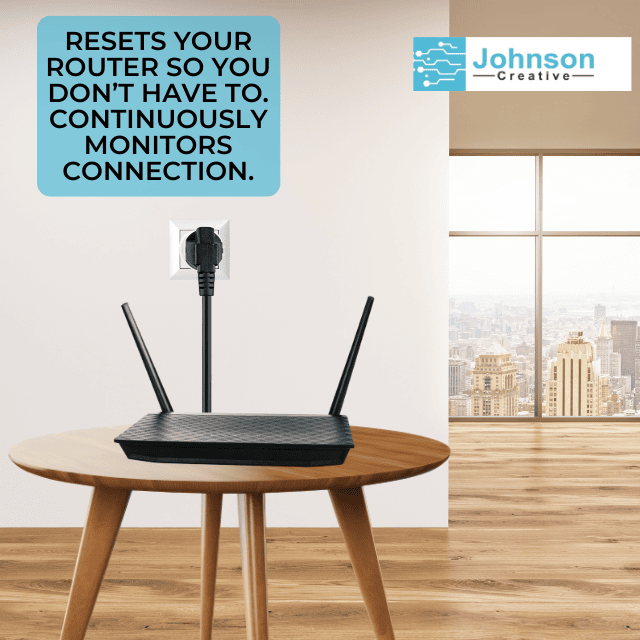
Keep Connect by Johnson Creative is an automatic router rebooter. It monitors your internet connection and power cycles your modem or router when the connection drops, then sends a text or email when you are back online. No subscription is required for basic automatic rebooting.

What reviewers say: Livingetc named Keep Connect an Editor’s pick in a December 2022 article on automatic Wi-Fi rebooters, and SchwarzTech scored it 9/10 in its December 2024 review.

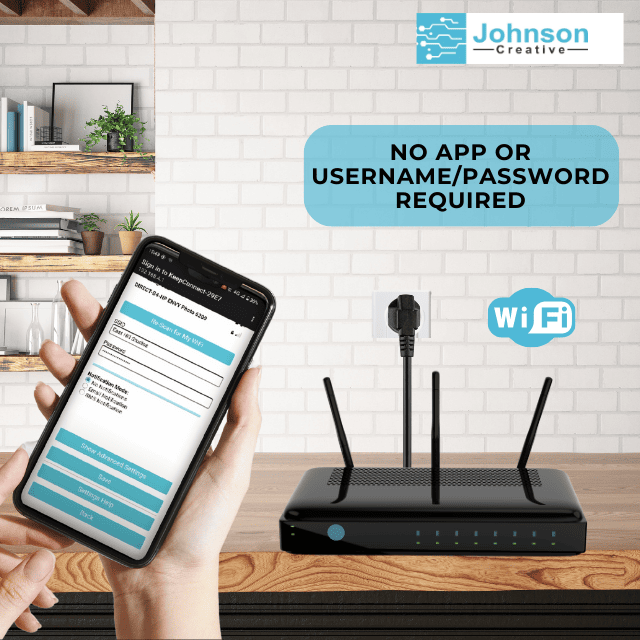
EU Keep Connect is the European version, built for European sockets. For UK and Irish sockets, choose UK Keep Connect instead. It runs on 100 to 240 VAC, so it suits European mains. Setup is done in a web browser over Wi-Fi, with no app to install.

EU Keep Connect is also listed on Amazon in Italy, France, Germany, Spain, the Netherlands, Sweden, Poland, and Belgium.


What EU Keep Connect Does

Automatic recovery when your router freezes

With default settings, EU Keep Connect:

  1. Checks a Johnson Creative test domain every 5 minutes.
  2. If that check fails, waits 1 minute and checks a second test domain.
  3. If both fail, cuts power to your router for 30 seconds, then restores it.
  4. Waits 3 minutes for the router to boot, then checks the connection again.
  5. If the internet is still down, tries again, up to 3 resets. It then waits 4 hours before the next round, so a long outage does not cause endless reboots.

You can change every one of these timings in Advanced Settings.

EU Keep Connect fixes the problems a power cycle can clear. It cannot fix an outage on your internet provider’s side, a damaged cable or failed hardware.

Who It Helps

Built for European homes and properties

  • Fibre and DSL households. Recover from router freezes automatically.
  • Holiday apartments. Keep guests connected while you are elsewhere.
  • Home offices. Keep work connections running.
  • Smart homes. Keep cameras and automations online.
  • Small shops and offices. Restore the connection after hours.

How It Works

Set up in four steps

  1. Plug in. Plug EU Keep Connect into the wall, then plug your router or modem into it.
  2. Join the setup network. On your phone, connect to the Wi-Fi network named KeepConnect followed by 4 characters. The setup page opens automatically. If not, go to 192.168.4.1.
  3. Create a login and join your Wi-Fi. Create a local admin username and password. Then choose your 2.4 GHz network and enter its password.
  4. Add notifications. Enter your email address, SMS number or both. You will get a confirmation with your Keep Connect ID and Code.

The LED turns solid blue when EU Keep Connect is connected and monitoring.

Features and Practical Benefits

Automatic reboots Power cycles your router when the internet goes down.

Scheduled reboots Restart the router every set number of days at the hour you choose.

Free text and email notifications Know when a reset happened and why.

Handles internet and power interruptions and Wi-Fi drop-offs Recovers from the common failures a restart can fix.

Reset limits A maximum reset count and a wait period stop endless reboots during a long outage.

Master/Follower mode Use two units so the modem finishes booting before the router starts.

Free status page Check your device at johnson-creative.com/status with your WebID.

Specifications and Compatibility

Check your setup before ordering

Specification Detail
Model Keep Connect Standard
Plug European
For use in EU countries
Not for UK and Irish sockets
Input voltage 100 to 240 VAC
Frequency 50/60 Hz
Maximum connected load 10A
Intended load Routers and modems
Wi-Fi 802.11 b/g/n, 2.4 GHz only
Wi-Fi security WPA/WPA2-Personal
Not compatible with 5 GHz-only, WPA2-Enterprise or WPA3-only networks
Setup Web browser, no app
Use Indoor only

The output voltage matches the input voltage. Keep Connect does not convert voltage.

Included Features and Optional Services

Automatic rebooting included. Cloud management available separately.

Function No subscription Keep Connect Cloud Services
Automatic reboots Yes Yes
Scheduled reboots Yes Yes
Text and email notifications Yes Yes
Manual reboot from the setup portal Yes Yes
Email and live chat support Yes Yes
Remote reboot from anywhere No Yes
Change settings remotely No Yes
Event history No Yes
Remote firmware updates No Yes
Customize notification messages No Yes
MQTT, webhooks and lifetime warranty No Pro and Enterprise

Plans are priced in US dollars: Standard $24.99 per year, Pro $2.99 per device per month, Enterprise $4.99 per device per month. Compare plans.

Product Comparison

Which Keep Connect version fits your socket?

Version Plug Main countries Price
Automatic Router Rebooter US United States $49.99
AU Keep Connect Australian Australia $49.99
UK Keep Connect UK United Kingdom $49.99
Keep Connect Type G Type G UK, Ireland, Cyprus, Malta, Malaysia, Singapore, Hong Kong $49.99
EU Keep Connect European EU countries $49.99
Keep Connect Type F Type F Mainly Europe and Russia $49.99

All versions share the same monitoring, 100 to 240 VAC input and 10A load limit. Choose the one that matches the socket in your wall.

Setup and Documentation

FAQ

How often should you reboot your router?

It depends on your router and connection. EU Keep Connect reboots your router automatically whenever the internet drops. You can also schedule a preventive reboot every set number of days, at the hour you choose.

How do I reboot my router remotely?

With Keep Connect Cloud Services, you can trigger a reboot from the app or web portal while the network is online. When the internet is down, a remote command cannot reach the device, so EU Keep Connect reboots the router automatically instead.

Does EU Keep Connect need a subscription?

No. No subscription is required for basic automatic rebooting, scheduled reboots and text or email notifications. Keep Connect Cloud Services add remote reboots, remote settings, event history and remote firmware updates.

Will EU Keep Connect reset my router settings?

No. EU Keep Connect power cycles your router: it cuts power for 30 seconds by default, then restores it. A power cycle is not a factory reset, so your router keeps its settings.

Can a router rebooter fix every internet outage?

No. It fixes the problems a power cycle can clear, such as a frozen router or modem. It cannot fix an outage on your internet provider’s side, a damaged cable or failed hardware.

Does EU Keep Connect work with 5 GHz Wi-Fi?

It connects to 2.4 GHz networks only, using 802.11 b/g/n with WPA or WPA2-Personal security. It is not compatible with 5 GHz-only, WPA2-Enterprise or WPA3-only networks.

What happens during a long internet outage?

By default, EU Keep Connect tries up to 3 resets, then waits 4 hours before trying again. This stops endless reboots while your provider fixes the outage. You can change both values in Advanced Settings.

Reviews

There are no reviews yet.

Be the first to review “EU Keep Connect Automatic Router Rebooter (European Plug)”

Your email address will not be published. Required fields are marked *


