
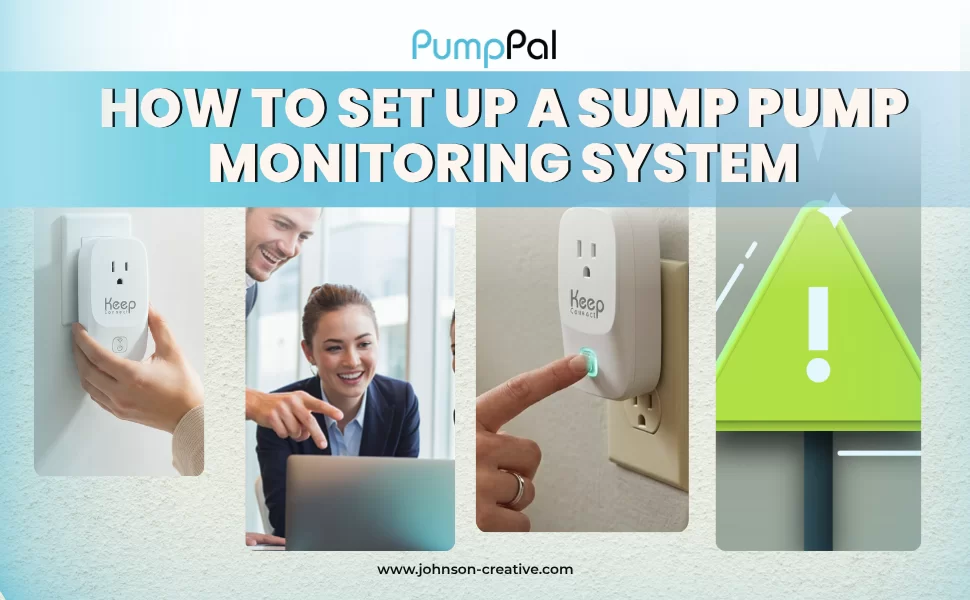
Most sump pump failures happen without any warning until water is already in your basement. By the time you notice, you are often looking at soaked carpet, ruined storage boxes, and a repair bill you did not plan for.
Setting up a sump pump monitoring system changes that. Instead of finding out about a failure after the damage is done, you get a WiFi alert on your phone the moment something goes wrong. This guide covers why monitoring matters, the types of systems available, and how to set one up step by step, so you can protect your basement before the next storm.
Why You Need a Sump Pump Monitoring System
A sump pump only protects your basement when it is actually working. If it fails quietly, a battery dies, a float switch sticks, or the motor burns out, you may not find out until water is already spreading across the floor.
A sump pump monitoring system watches your pump around the clock and sends a WiFi alert the moment something looks wrong. That early warning is often the difference between a five-minute fix and a multi-day cleanup.
This matters most for homeowners with finished basements, stored belongings, or mechanical equipment like a furnace or water heater sitting at floor level. A working sump pump monitoring system gives you time to act before a small problem becomes a flooded basement.
The real cost of sump pump failure
Basement flooding can damage flooring, drywall, insulation, and anything stored on the floor. Cleanup often means professional water extraction, industrial dehumidifiers, and mold prevention work, on top of replacing anything that got wet.
Many standard homeowner’s insurance policies limit or exclude coverage for water backup and sump pump failure unless you have added a specific endorsement. Coverage details vary widely between insurers and policies. Check your own policy or ask your insurance agent to confirm what is and is not covered before you assume you are protected. VERIFY WITH YOUR INSURANCE PROVIDER
How traditional float alarms fall short
Standalone float alarms are better than nothing, but they have real limits. They only sound once water has already risen to a set level inside the sump pit, so by the time the alarm goes off, your margin for a dry fix is already shrinking.
Float alarms also depend on you being home and within earshot. If you are at work, traveling, or asleep on a floor above the basement, the alarm can sound for hours before anyone responds. There is also no way to check on the pump remotely between visits to the house.
Types of Sump Pump Monitoring Systems
Homeowners generally choose between two approaches: basic float switch alarms and modern WiFi smart monitors. Each has a different balance of cost, simplicity, and how quickly you find out about a problem.
Float switch alarms (old school)
A float switch alarm sits in the sump pit and triggers a loud, local alarm when water reaches a set height. These systems are inexpensive and simple to install, but they only work if someone is home to hear them. Most run on batteries that need periodic replacement, and none of them notify you remotely if you are away from the house.
WiFi smart monitors (modern)
A WiFi smart monitor connects to your home network and sends you a notification wherever you are. Pump Pal by Keep Connect is installed so the pump is powered through the Pump Pal device itself. It does not require a separate float switch or sensor placed inside the pit, detection runs on the device’s own reading of the pump’s electrical activity.
That plug in, sensor free design is the main appeal for homeowners who do not want to open up the sump pit or run new wiring just to add monitoring.
How to Set Up a WiFi Sump Pump Monitor, Step by Step
The exact setup screens will vary by brand. Pump Pal follows Keep Connect’s standard hotspot and web portal setup flow rather than a separate mobile app, and the steps below reflect that process.
Step 1: Choose Your Monitor

Look for a monitor built specifically for sump pumps, not a generic smart plug. Confirm it is compatible with your home WiFi setup, and check whether it requires a separate float switch sensor or monitors pump activity directly, which is how Pump Pal is designed to work.
Step 2: Plug In and Connect to WiFi

Install Pump Pal so your sump pump is powered through the device, then power on the unit. Join the Pump Pal setup hotspot (typically named something like PumpPal-xxxx) from your phone or computer. The setup portal should open automatically, if it does not, stay connected to the hotspot and open 192.168.4.1 in a browser. Enter your home WiFi network name and password to let the device join your network.
Step 3: Set Alert Thresholds

During the same setup flow, enter your notification details, email and/or SMS, so you are alerted when Pump Pal flags a problem. Pump Pal does not currently ask you to set alert sensitivity in the local web portal manually. Instead, it automatically learns your pump’s normal behavior during a short calibration period after setup, covered in the next section.
Step 4: Test Your Alerts

Save your settings and let the device join your network. Once connected, the local web portal is available at the device’s local IP address for connectivity and notification checks (it may ask for its own username and password). Full detection is not active until calibration completes, so treat the first several pump cycles as a learning period, not a true test. Test any existing battery backup float alarm separately.
How Pump Pal Learns and Detects Problems
Pump Pal watches the electrical current the connected pump draws and learns what normal looks like for that specific pump. A pump run is only counted once current rises above a running threshold and holds briefly, so short bursts of noise are not treated as a real cycle.
The first 5 valid pump runs make up the calibration period. During calibration, Pump Pal learns the pump’s typical current draw and typical run time, then stores those values on the device so they persist through a reboot.
Once calibration is complete, Pump Pal can automatically flag these conditions on future runs:
- Dry run or air lock: the pump runs but draws much less current than normal
- Overload or blockage: the pump draws much more current than normal
- Long cycle: a run lasts much longer than the learned normal runtime
- Stuck on: a run continues past the maximum allowed runtime
- Short cycling: the pump starts too often with too little time between cycles
If Pump Pal is later moved to a different pump, the learned calibration may no longer match, and the device should be allowed to recalibrate on the new pump.
What to Look for in a Sump Pump Monitor
Not all monitors are built the same way. When comparing options, look for these features.
- No external sensors required. A monitor that reads pump activity directly avoids extra parts sitting in the sump pit that can get stuck, corrode, or fail on their own. This is one of the main differentiators homeowners look for.
- Reliable WiFi range. Basements often have a weaker WiFi signal than the rest of the house. Confirm your router reaches the sump pump’s location, or plan on adding a WiFi extender.
- Real time alerts. The system should notify you quickly by email or text, not just log an event you check later after the damage is done.
- Simple installation. Look for a setup that does not require an electrician or rewiring your existing pump.
- A real calibration period. A system that needs a short learning period, like Pump Pal’s first 5 cycles, is worth understanding upfront so you know when to expect full protection.
- Broader coverage if you want it. A sump pump monitor only watches the pump. For leaks elsewhere in the house, Water Pal covers that separately.
|
Feature
|
Float Switch Alarms
|
WiFi Smart Monitors
|
|---|---|---|
|
Remote phone alerts
|
No
|
Yes
|
|
Requires being home to hear it
|
Yes
|
No
|
|
Extra sensor placed in the sump pit
|
Yes
|
Not with plug in models like Pump Pal
|
|
Typical installation
|
Simple, standalone unit
|
Plug in, with app setup
|
|
Ongoing maintenance
|
Battery replacement
|
Periodic app and WiFi checks
|
WiFi and electrical safety notes
A WiFi sump pump monitor is only as reliable as your home network and electrical setup. Keep these points in mind before and after installation.
- If your home network goes down, the local portal shows a connection offline message, and email or SMS alerts cannot go out until connectivity returns. Whether a missed alert is queued and sent afterward isn’t stated in the documentation.
- The documentation does not mention internal battery backup for the monitor during a power outage.
- Never plug a sump pump monitor into an extension cord or power strip that is not rated for the pump’s electrical load. Use a dedicated, grounded outlet as recommended by the manufacturer.
- If your sump pump is on a GFCI outlet and it trips repeatedly, that can point to an electrical issue with the pump itself, not the monitor. Have a licensed electrician inspect the circuit rather than resetting it repeatedly.
- If you notice a burning smell, scorch marks, or the pump trips breakers, unplug the system and contact a qualified electrician or plumber before continuing to use it.
- A monitoring system is a safety net, not a replacement for a working pump. Have your sump pump itself inspected by a professional if it is several years old or showing signs of wear, such as unusual noise or slow cycling.
Wrapping Up
A sump pump monitoring system will not stop every failure, but it gives you the one thing a silent pump cannot: a warning before water reaches your floor. Whether you choose a float alarm or a WiFi smart monitor, the goal is the same, know about a problem while you can still act.
Pump Pal by Keep Connect monitors your sump pump 24/7 using electrical load analysis, no float switches or wiring needed. Get WiFi alerts before your basement floods. $74.99.
FAQ
Does it work without external sensors?
Pump Pal is designed to plug in between your sump pump and the wall outlet, so it does not require a separate float switch or sensor placed inside the sump pit. [VERIFY WITH KEEP CONNECT FOR FULL INSTALLATION REQUIREMENTS]
How does Pump Pal detect pump failure?
According to Keep Connect's product description, Pump Pal monitors the pump's electrical load rather than relying on a physical float sensor. The specific detection thresholds, sensitivity, and accuracy have not been independently confirmed for this article.
What if my WiFi goes down?
A WiFi-based monitor depends on an active internet and WiFi connection to send alerts. If your network or router loses power or connection, alert delivery may be delayed until service is restored. Check with Keep Connect for how Pump Pal behaves specifically during an outage. [VERIFY WITH KEEP CONNECT]





